
Help
How to use Starshine, explained by the people who use it. Pick your tab, open your question.
My page
Do I have to create my page?
No, it already exists. Your page is created along with your account, on the second signup screen, and nobody can see it until you finish signing up. On the last screen it goes public. Everything else is handled from your dashboard afterwards.
Open the screenHow do I change my page address?
In "My page info". The address was suggested from your name when you signed up, and as long as your page is unpublished you can change it as often as you like. Once it is published, you can only change it every few days: links to the old address land on a page that says where to find you, as long as nobody else has taken that name.
Open the screenHow do I lay out my page?
The builder gives you a catalogue of blocks: biography, music, videos, gallery, discography, press, awards, gear, fun facts, timeline, socials, band members, pro contacts, partners, a plain text block. You place them in whatever order you want, on rows of one to three columns. The banner, profile photo and logo are uploaded on the same screen, at the top of the page. On a computer you drag and drop; on a phone the editor is simpler but writes the same page.
Open the screenHow do I change my page colors?
There are three settings, and only three: the background, the text color and an accent color. Everything else is derived from them, so a light background never breaks the page. Ready-made harmonies set a background and matching text, then you fine-tune. Contrast is measured as you pick, and nothing is saved while your text is unreadable on your background.
Open the screenCan my page speak several languages?
Yes. You fill in your page in your own language, and you can add other versions field by field, in seven languages. Anything you leave untranslated shows in your own language, and nothing breaks. Proper names are not translated: album titles, label names and people’s names stay as they are, otherwise nobody can find you again.
Open the screenPosting
What can I post?
News, photos, a track you upload, a link, a poll, or one of your gigs. Your posts land in your fans’ feed, newest first. You can file a post under up to three hashtags: they sort it, they do not push it up, because the feed has no algorithm. A pinned post goes to the top of the "Posts" tab on your page.
Open the screenWhat is a RiffShot?
Twelve seconds of vertical video with sound, filmed on the spot or imported. The post disappears after seven days unless you tick "keep it forever", in which case it stays on your page. The flames it earned stay in your total either way. A RiffShot is posted on its own, with no photo or track alongside.
Open the screenWhere do I see what fans say about me?
In the echoes, under "They’re talking about you". Two tabs: memories, meaning the photos fans post from your gigs, and reviews, meaning what they write about them. You can keep a few for your showcase, which then appears in your page blocks, or repost an echo to your own feed with a word of your own.
Open the screenThe Studio
What is Starshine Studio?
It is your band’s workshop, and your fans never set foot in it. It has its own rooms: music creation, artwork, lyrics, discussions, the library, the calendar, and the screen that says who is allowed in. You get there from your dashboard, or from the list of your studios if you play in several bands.
 Open the screen
How do I upload a demo?
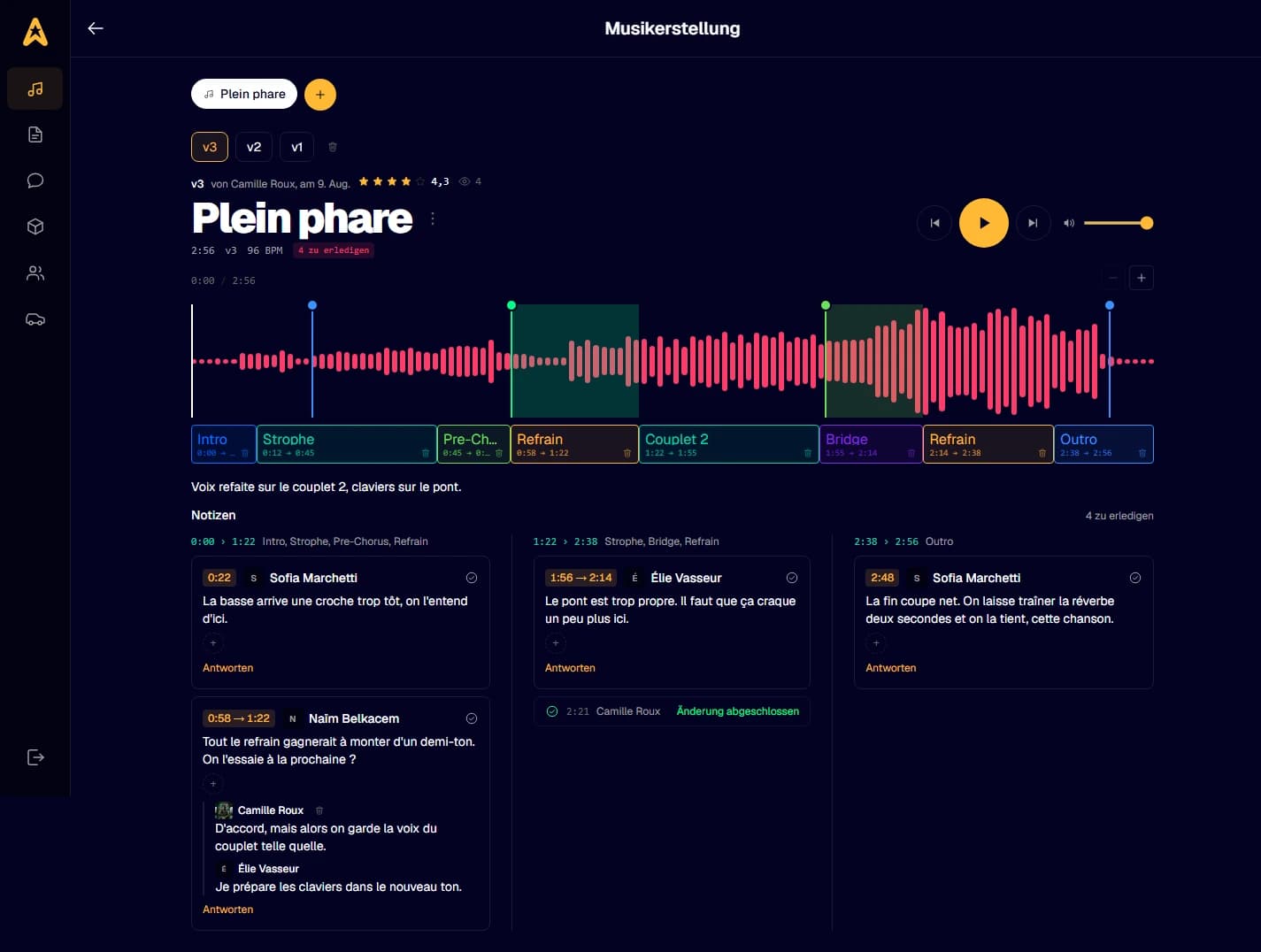
In the Creation room, pick a file and the track exists. Any format works: anything that is not an MP3 is converted right in your browser, and the waveform appears. A phone recording is fine, this is built for work in progress. Each new upload on the same track becomes a version, up to five, with a note saying what changed, and older versions keep every comment made on them.
Open the screenHow do I comment on one precise spot?
Click in the waveform at the spot that bothers you: a pin drops there and you write your comment on it. It stays attached to the exact second, so whoever reads it lands straight on the passage. You can also drag a range to comment on a whole section. Replies go right underneath, and a tick closes a comment once it is sorted: the counter at the top only shows what is left to do.
Open the screenWhat is the point of splitting a track into parts?
Drag a range under the waveform and name it: intro, verse, chorus, bridge. The parts bar sits at the same scale as the waveform. It changes one thing, and it matters: people tell you "the chorus is too long" instead of "it drags at 2:14", and that sentence makes sense without listening again. One version’s split can be carried straight over to the next.
Open the screenWhere do I write my lyrics, and how are they commented on?
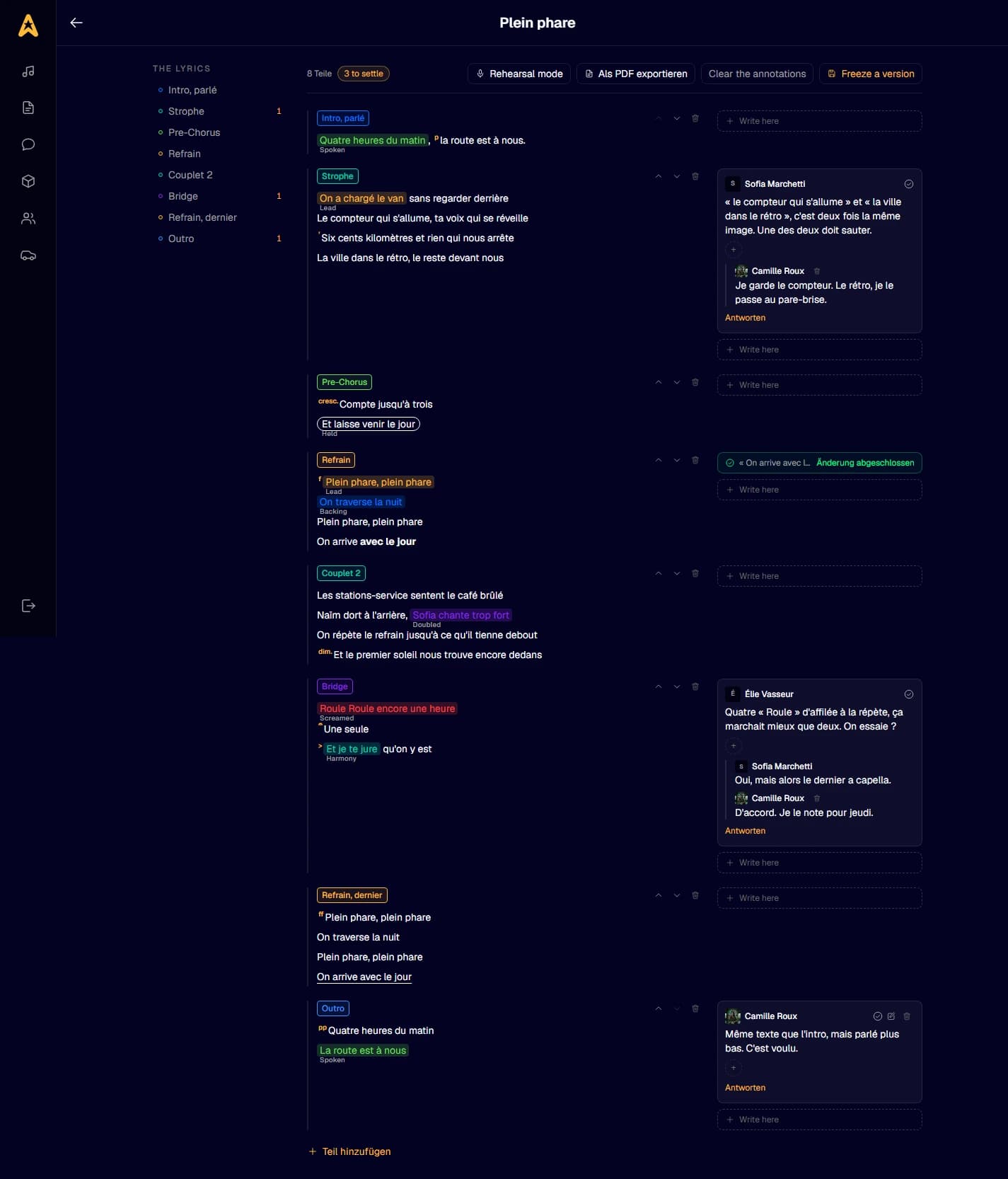
In the Lyrics room. A title is enough to open a text, then you write it block by block: one block per verse, per chorus. Each comment sits in the margin, facing the block it talks about, so a three-word note still makes sense six months later. You can also mark the text up like a pencil score: vibrato, held notes, backing vocals, screamed lines, and dynamics in the margin.
 Open the screen
How do I get my lyrics in front of me at rehearsal?
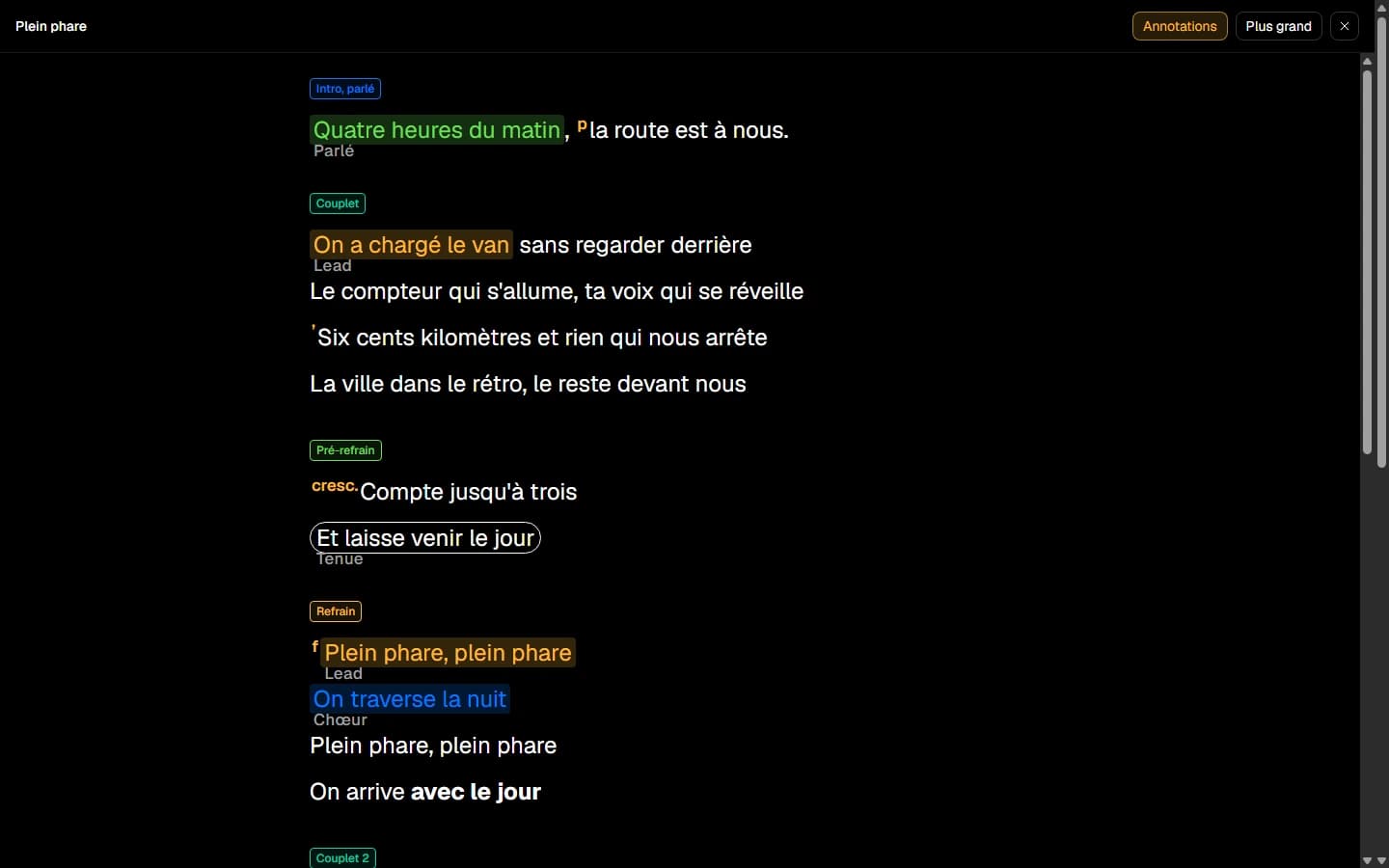
Rehearsal mode shows the lyrics large, full screen, with nothing around them. It is made for having the words in front of you with an instrument in your hands. It does not show up on an empty text: you need at least one block written.
 Open the screen
Can I print lyrics for a music stand?
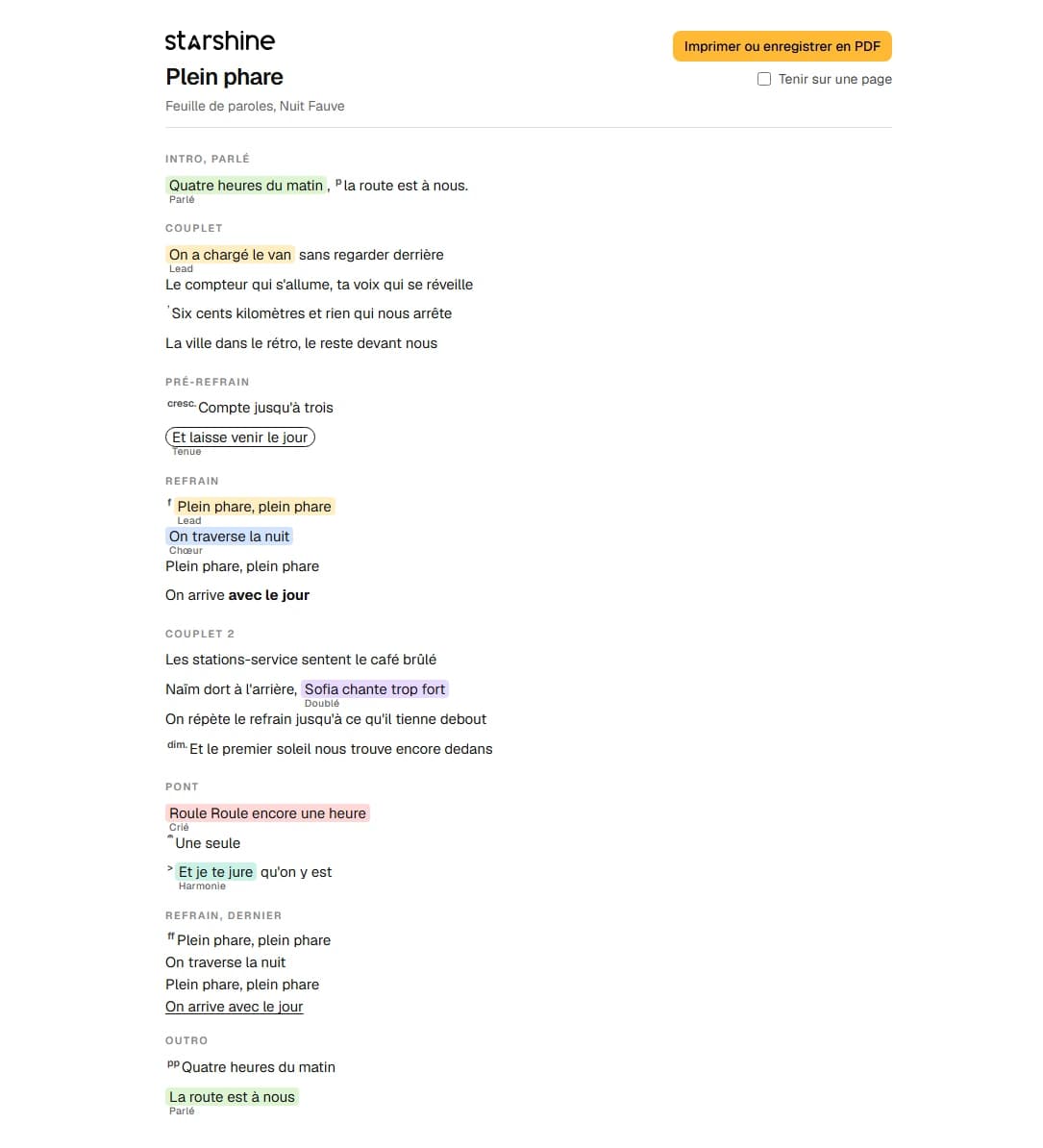
Yes, the export produces a printable lyric sheet, or a PDF. That is the one you put on a stand or send to a stand-in musician. You can also freeze a version of the text: it keeps the words exactly as they are today, and you keep writing on the live one without it moving.
 Open the screen
How does the band get organised in the Studio?
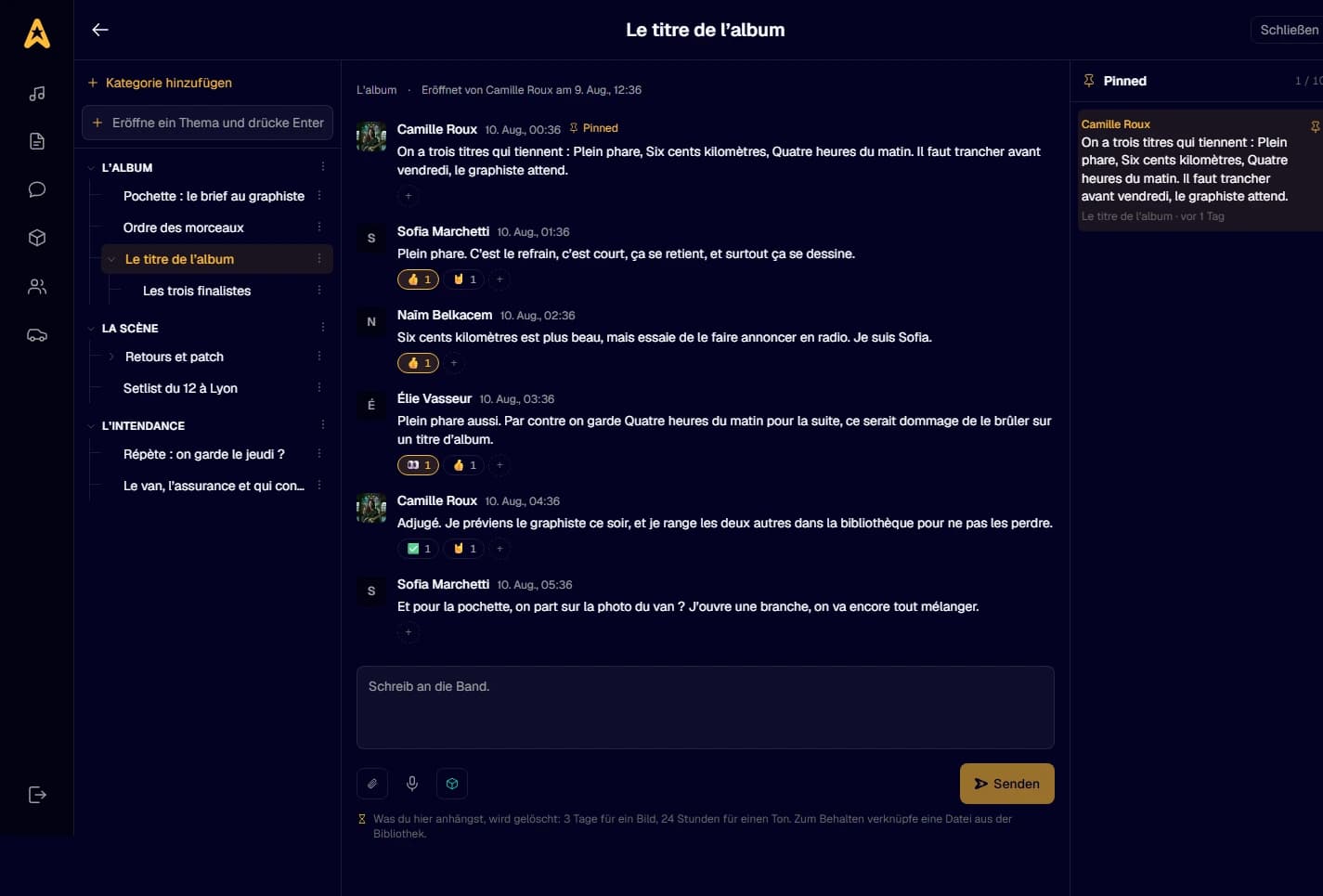
Discussions are a tree of topics filed under categories, and everyone writes in them. You react to a message, pin one so it stays in front of the whole band, and start a poll when something has to be settled: everyone’s availability, or a multiple-choice question. A chosen date goes straight into the Studio calendar.
 Open the screen
Where do I keep the band’s files?
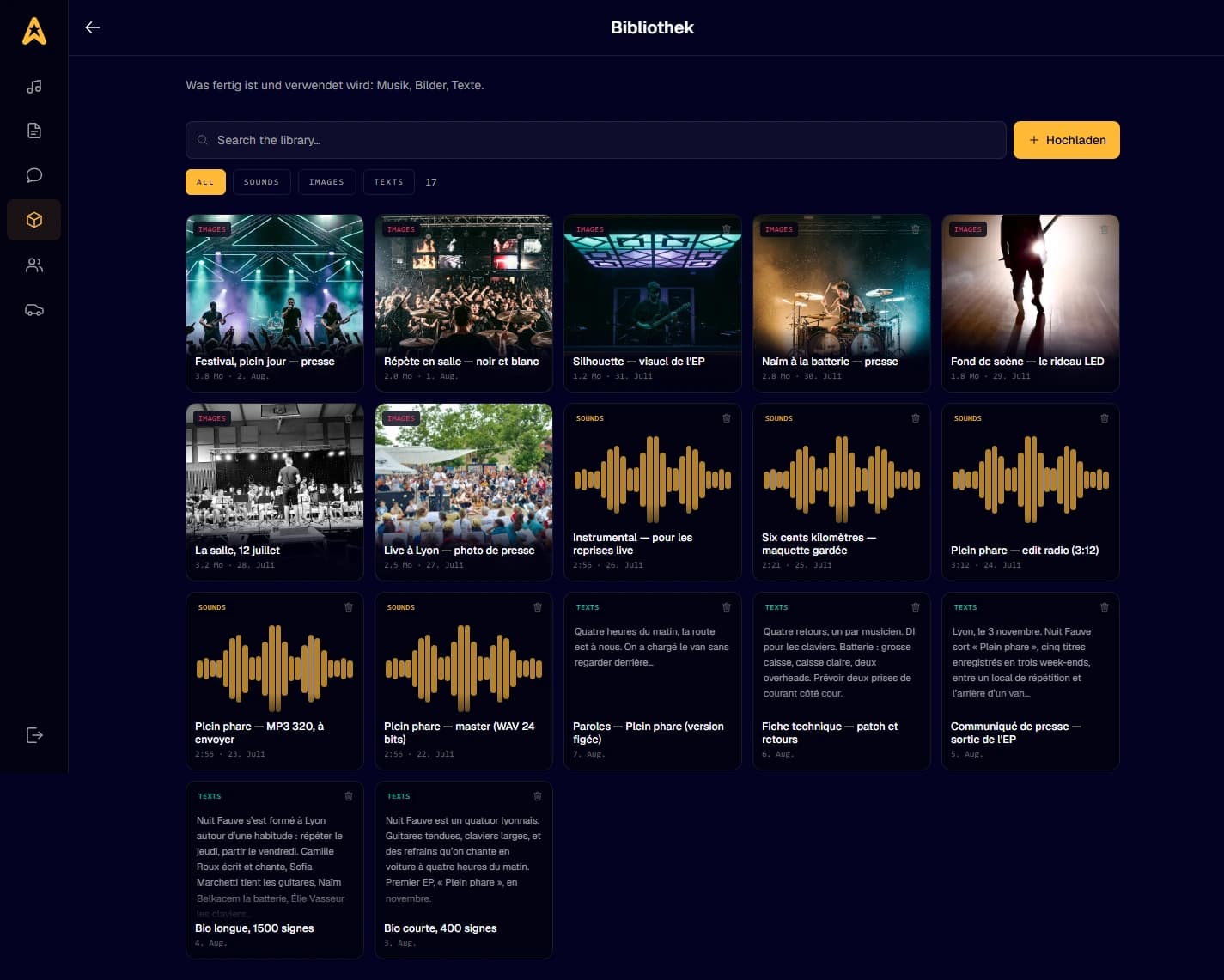
In the library: the things that are finished and get used. Masters, the MP3 you send out, press photos, the bio, the tech rider. Audio or images, up to 200 MB per item, and a text can be pasted straight in instead of being a file. The whole band takes what it needs from it, and what you drop into a discussion does not end up there on its own.
 Open the screen
How do I let a manager or a sound engineer in?
Through the "Who’s in here" screen. Search for the person by stage name, handle, or the email address they log in with, and let them in. A fan account is enough, they do not need to be an artist. They will see the whole studio, the tracks, the comments, the discussions, the library, and they will not appear anywhere on your public page.
Open the screenMy band
How do I link the band’s musicians?
From "The line-up". Search for an artist by share number or by name, offer to link them, and they accept. Everyone keeps their own page, and the two pages reference each other. Member by member, you then set what they can do: edit the page, post, answer messages, manage the line-up.
Open the screenWhat about people who don’t play but work with me?
They go into "My team": the booker, the stage manager, whoever runs the till, the designer. You bring them in by name, handle or email address, and a fan account is enough. You then choose, room by room, what each of them can see.
Open the screenCan a manager or a label run my page?
Yes, but they ask and you decide. They offer to manage your page, and you stay the owner no matter what. Accepting grants them nothing: everything starts closed, and you tick box by box what you hand over. You can take it all back whenever you want, without asking anyone.
Open the screenMy fans
Who are my fans, and can I write to them?
The "My fans" screen lists everyone who has sent you flames, from the most generous down, and you can search by handle. Next to each name, a "Write" button opens a conversation with that person. It is a normal inbox: you write to one person, not to a mailing list.
Open the screenWhat are flames, and stars?
The flame is Starshine’s only approval gesture: there is no "like" beside it. A fan gets a limited monthly allowance, so what they give you they no longer have for someone else, and that scarcity is what makes the gesture mean something. A hundred flames received make one star, and stars build the rankings. Artists themselves do not send flames.
What is my circle?
It is a shared room where you talk to your most loyal fans, all at once, and where they see each other. The offer to open it appears on your dashboard once several fans have spent a lot on you, and nothing obliges you to, now or ever. Once it is open it is visible: people will be waiting in there. You can close it again at any time without explaining yourself, messages stay and the room becomes read-only.
Open the screenCan I ask my fans for a hand?
Yes, that is mutual aid. You post a need: a bed for the night, hands to build the stage, help at the merch table. You say where and when, and what you offer back: tickets, a backstage pass, a signing, an invite to a rehearsal, a credit. Fans who can, step up, and you choose.
Open the screenMy gigs
How do I create a gig date?
From "Gigs, nights, events". Set the day, the city, the venue, doors, ticket price and a ticketing link, then publish the date. Until you publish it, nobody sees it. You can build the bill by linking the bands playing: each one gets a request, and once linked, fans who say "I’m going" on any of them count towards the same gig.
Open the screenHow do I make a flyer for my date?
From your date, the flyer workshop asks you for one thing only: a bare background image, no text and no logos, portrait, big enough to print. Starshine already knows the rest and lays it on top: names, date, venue, times, logos. Ten formats compose themselves, PDFs for the printer and images for social, and a slider darkens the photo under the text so it stays readable.
Open the screenCan I pay to reach further?
Yes, through sponsoring, and only for four things: one of your events, a video, an album release, or your page. You build the ad, it saves as a draft, then you launch it and pick how long it runs. It is shown to people who listen to this kind of music and do not know you yet. It never touches the rankings: an ad has never earned a single flame.
Open the screenMy subscription
What does the subscription open up?
A single subscription opens both halves: your page colors, the reserved blocks like the gallery and videos, ten tracks in your player instead of three, and Starshine Studio, where your band works out of sight. The price is the price of your studio, never a per-seat price: the whole band gets in, and the people you invite with them. You pick the rhythm, monthly or yearly.
Open the screenIf I cancel, do I lose my work?
No, nothing is destroyed. The month you started is paid for, so it runs to the end, and the screen shows you exactly what will stop appearing before you confirm. After that your page keeps everything but stops showing the colors and the reserved blocks, and the Studio goes read-only: you can still read it all, writing waits for you to resubscribe. Your invoices stay downloadable on that same screen.
Open the screenCan’t find your answer?
Write to us. No account needed, no form to fill in: one address, and someone gets back to you.
hello@starshine.fmWhat you are allowed to post is in the terms of use, and what we do with your data is in the privacy policy.